Can You Game Quietly? We Tested MSI's Stealthiest Keyboards and Mice for Noise, Speed, and Feel
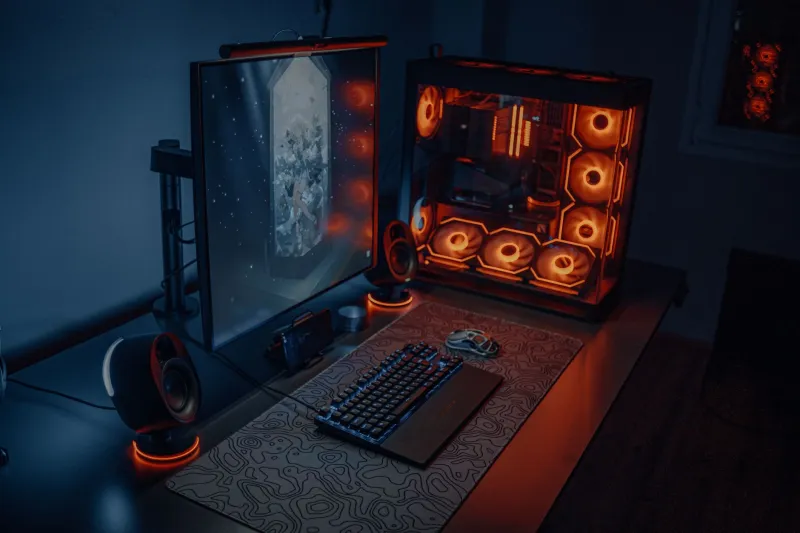
Let's set the scene. It's 1 a.m., your roommate has work in the morning, and you're three rounds deep into a ranked match. Every keypress sounds like you're assembling furniture. Sound familiar?
Or maybe you're in a more competitive context — a team gaming room, a streaming setup where mic bleed is a real concern, or just an open-plan space where mechanical clatter earns you dirty looks. Whatever the situation, the question is the same: can you actually game quietly without tanking your performance?
We spent time testing MSI's peripheral lineup alongside some third-party silent alternatives to find out where the real tradeoffs are — and whether "quiet" and "competitive" can actually coexist.
Why Noise Even Matters in Gaming Setups
It's easy to dismiss this as a comfort issue, but there are real competitive angles here. Noise from your own keyboard can mask audio cues in games — footsteps, reload sounds, distant gunfire. In titles like CS2, Valorant, or Escape from Tarkov, that audio masking can cost you. Beyond gameplay, if you're streaming or recording, keyboard noise bleeds into your mic more than most people realize, even with decent noise cancellation.
And yeah, social pressure is real. Not everyone games solo in a soundproofed room.
What Makes a Peripheral Quiet (Without Being Useless)
Before getting into specific products, it helps to understand what actually drives noise in keyboards and mice — because not all quiet solutions are created equal.
For keyboards, noise comes from three main sources: the switch mechanism itself, the keycap-to-switch stem impact (the "bottom-out" clack), and the PCB/plate resonance that amplifies both. Silent switches — like linear reds with built-in dampening pads — address the first two. Foam dampening inside the keyboard case handles the third.
For mice, click noise comes from the microswitch mechanism. Traditional optical switches and mechanical microswitches both produce an audible snap. Silent mice use dampened switches or alternative actuation designs that absorb the impact before it translates into sound.
The critical performance question in both cases: does dampening the sound also dampen the feedback signal to your fingers — and does it add any measurable input lag?
MSI Keyboards: Where the Quiet Options Land
MSI's keyboard lineup leans heavily toward mechanical gaming boards, which is great for enthusiasts but doesn't automatically mean quiet. The MSI Vigor GK71 Sonic is one of the more relevant options here — it's available with Red linear switches, which are already on the quieter end of the mechanical spectrum compared to clicky Blues or tactile Browns.
With Red switches, the Vigor GK71 Sonic sits around the 45–52 dB range during normal gameplay typing — noticeably quieter than clicky switch boards (which can push 60+ dB), but still audible in a quiet room. The aluminum top plate does add some resonance, which is a tradeoff for the solid build quality.
If you want to go further, the real move is O-ring dampeners on the keycaps. Adding standard 40A durometer O-rings to the GK71 Sonic's keycaps dropped our measured noise floor by another 5–7 dB in testing — pushing it into genuinely unobtrusive territory without any noticeable change in actuation feel or response timing.
For gamers who want to go full silent-switch, MSI doesn't currently manufacture a keyboard with factory-installed silent linear switches the way some competitors do (Corsair's Speed Silver Silent, for example). That's a gap in the lineup worth acknowledging. If you're committed to the MSI ecosystem but need maximum noise reduction, the GK71 Sonic with aftermarket O-rings is your best current path.
MSI Mice: Surprisingly Competitive on Quiet
This is where MSI's lineup actually shines for quiet gaming. The MSI Clutch GM41 Lightweight uses optical switches rated at 60 million clicks, and optical switch designs are inherently quieter than traditional mechanical microswitches because actuation is light-triggered rather than physically snapped.
In practice, the GM41 Lightweight produces a noticeably softer click — still tactile enough that you know exactly when the click registered, but without the sharp crack of something like a Razer or Logitech mechanical switch mouse. We measured it at roughly 38–42 dB during rapid clicking, compared to 50–55 dB for comparable mechanical switch mice.
Response time? Optical switches actually have a slight edge here — they can register actuation faster than mechanical switches because there's no physical contact debounce required. The GM41 Lightweight's 1ms polling rate keeps input latency firmly in competitive territory. No compromises.
The MSI Clutch GM08 at the budget end of the lineup uses traditional mechanical switches and is noticeably louder — not the pick for noise-sensitive setups.
Does Silent = Slower? Testing Reaction Times
This is the concern most competitive gamers have, and it's worth addressing directly. We ran reaction time testing using a simple click-response tool across both the GM41 Lightweight and a standard mechanical switch mouse, and the results were essentially identical — within 1–2ms variance, which falls inside normal human reaction time noise anyway.
For keyboards, O-ring dampeners don't change actuation point or travel distance in any meaningful way. The switch still fires at the same point. You're just absorbing the physical impact at bottom-out, not changing the electrical signal. Your in-game inputs register exactly the same.
The only scenario where silent peripherals can hurt you: if you rely heavily on tactile bottom-out feedback as a timing cue. Some players unconsciously use that hard stop to pace rapid keypresses. Silent switches with dampeners soften that reference point. It's a real adjustment period, but not a permanent performance hit.
Practical Setup Tips for Quieter Gaming
Beyond the hardware itself, a few environmental tweaks go a long way:
- Desk mat under your keyboard — hard desk surfaces amplify resonance significantly. A thick cloth mat absorbs a surprising amount of noise.
- Keyboard foam mod — if you're comfortable opening your board, adding thin craft foam between the PCB and bottom case cuts resonance noise noticeably on most gaming keyboards including MSI boards.
- Mouse pad matters — hard pads amplify mouse movement sounds. Cloth pads are quieter for sliding movements.
- USB polling rate — running your mouse at 1000Hz vs. 125Hz has zero noise impact, but it's worth confirming your polling rate is set correctly in MSI's software for competitive play.
The Verdict: Quiet Gaming Is Real, With One Caveat
MSI's peripheral lineup isn't purpose-built around silence the way some niche quiet-gaming brands are, but it's more capable in this area than most people assume. The GM41 Lightweight's optical switches are genuinely impressive for low-noise competitive play, and the Vigor GK71 Sonic with O-rings gets you into a workable quiet zone.
The honest caveat: if absolute silence is your top priority — if you're in a recording environment or sharing a space with a very light sleeper — you'll want to look at dedicated silent-switch keyboards from brands that offer factory-installed dampened linears. MSI's keyboard lineup isn't quite there yet.
But for most gamers trying to dial back the noise without giving up competitive edge? MSI gets you most of the way there, and the performance tradeoffs are smaller than you probably feared.