Buying Used MSI Hardware: The Honest Guide to Open-Box, Refurbished, and Secondhand Components
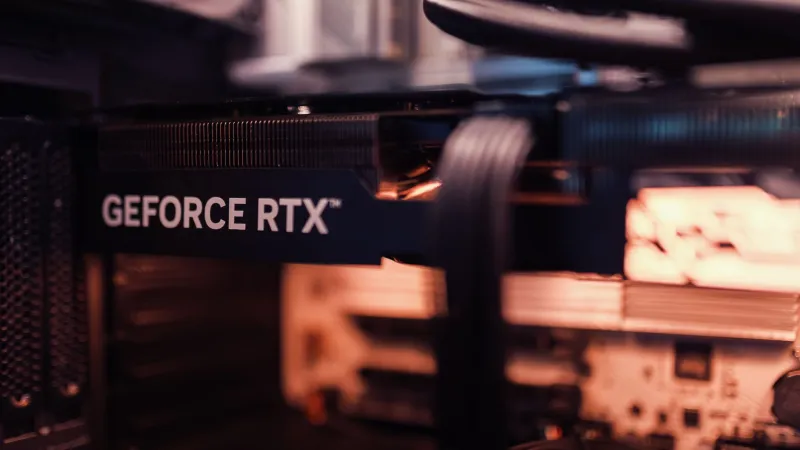
The used PC hardware market in the US is massive right now. With GPU prices finally stabilizing after years of chaos, a lot of last-gen MSI cards are hitting eBay, Facebook Marketplace, and r/hardwareswap at prices that are genuinely tempting. Add in open-box deals from retailers like Micro Center and Best Buy, and the secondary market starts looking like a real alternative to buying new.
But "used" covers a lot of ground. There's a big difference between a lightly gamed GPU from an honest seller and a card that spent 18 months in a crypto mining rig before getting wiped down and listed as "barely used." Knowing which one you're actually buying is the skill that separates a great deal from an expensive lesson.
Here's the practical guide — no sugarcoating.
Understanding the Different Categories
Before we get into evaluation tactics, it's worth being clear about what these terms actually mean in practice, because sellers (and sometimes retailers) use them loosely.
Open-box typically means the product was returned to a retailer, repackaged, and put back on the shelf or listed online. The original seal is broken, but the item may be functionally new — some open-box returns are literally untouched. Others have been installed, run for a few weeks, and returned. You're buying the unknown history along with the discount.
Certified refurbished means the product has been inspected, repaired if needed, and tested by either the manufacturer or an authorized service center. MSI does offer refurbished products through select channels, and these typically come with a limited warranty — usually 90 days to one year, depending on the product and seller. This is the most structured tier of the secondary market.
Secondhand/used is the wild west. Private sellers on eBay, Craigslist, or Marketplace have zero standardization. The condition can range from mint to destroyed, and the seller's description may or may not reflect reality.
What Warranty Coverage Actually Transfers
This is where a lot of buyers get burned. MSI's standard warranty is tied to the original purchaser in most cases. When you buy secondhand from a private seller, that warranty does not automatically transfer to you. You're buying the hardware, not the coverage.
Open-box units from major retailers like Best Buy or Micro Center are a different story. These often retain the original manufacturer warranty from the purchase date, and the retailer may add their own return window on top. Always ask — and get it in writing if possible.
Certified refurbished units from MSI-authorized sources come with their own stated warranty, which is separate from the original coverage. Read the fine print carefully: what's covered, for how long, and who handles the claim process.
The practical upshot: if you're buying from a private seller, assume zero warranty protection and price accordingly.
How to Vet a Used MSI GPU Before You Buy
GPUs are the highest-risk category in the secondary market right now, largely because of the mining era. Here's the evaluation framework we use.
Ask for GPU-Z screenshots. GPU-Z logs total runtime hours on supported cards. A card listed as "lightly used for gaming" that shows 15,000+ hours of runtime is a red flag. Compare the stated usage to the hours logged.
Request a stress test video. Ask the seller to run Furmark or Unigine Heaven for 10-15 minutes and record the GPU temperature readings. If they refuse or make excuses, walk away. Healthy MSI cards should stay within their thermal specs under load.
Inspect photos carefully. Look for discoloration around the VRM area, bent fins on the heatsink, missing fan blades, or signs that the cooler has been removed and reinstalled (look for thermal paste squeeze-out around the edges of the cooler mount). Any of these warrant serious questions.
Check for coil whine disclosures. Coil whine is a common issue on high-performance GPUs and tends to worsen over time. If the seller hasn't mentioned it, ask directly.
How to Vet a Used MSI Motherboard
Motherboards require a different inspection approach because the failure modes are more varied.
Examine the CPU socket pins. Bent or damaged pins in the CPU socket are a board-killer and an instant deal-breaker. Ask for a close-up photo of the socket under good lighting. On Intel platforms (LGA sockets), the pins are on the motherboard itself, making this especially critical.
Check the VRM area for discoloration. Dark spots or scorching near the power delivery components indicate the board has been pushed hard or has experienced thermal stress. This doesn't mean it's dead — but it means it's been stressed.
Verify all expansion slots and ports function. A motherboard with a dead PCIe x16 slot or a non-functional M.2 socket is a significantly devalued product. If you can test before buying, do it.
Ask about BIOS history. A board that's had aggressive overclocking profiles applied may have degraded VRM components even if it boots fine. This is hard to verify externally, which is why the VRM visual inspection matters.
We Tested Some Refurbished Units — Here's What We Found
We sourced three refurbished MSI products from different channels for this piece: an MSI GAMING X GeForce RTX 3070 from an eBay certified refurbisher, an MSI MAG B550 TOMAHAWK motherboard from a Facebook Marketplace private seller, and an open-box MSI GAMING TRIO RTX 4070 from a Micro Center location.
The Micro Center open-box unit was effectively new. Sealed thermal paste, no signs of installation, original accessories intact. The only difference from a new purchase was the opened box and a slightly shorter return window. Excellent value.
The eBay refurbished RTX 3070 was more complicated. GPU-Z showed approximately 4,200 hours of runtime — not mining-level, but meaningful. The card performed within spec in benchmarks, but ran about 4°C hotter than reference under load, suggesting the thermal paste hadn't been refreshed during the refurbishment process. Functional, but not as clean as the listing implied.
The Facebook Marketplace B550 TOMAHAWK had a bent pin in the CPU socket that the seller hadn't disclosed. Non-functional. This is exactly the scenario that makes private-party motherboard purchases high-risk without in-person inspection.
The Price-to-Risk Calculation
Here's a rough framework for thinking about secondary market MSI hardware:
- Open-box from a major retailer: Low risk, modest savings (10-20%). Often the best value in the secondary market.
- Certified refurbished from MSI or authorized reseller: Moderate risk, moderate savings (20-35%). Acceptable if the warranty terms are solid.
- Private seller, GPU: Higher risk. Price should reflect 30-50% off current new pricing to justify the uncertainty.
- Private seller, motherboard: High risk without in-person inspection. If you can't physically examine the socket and VRM area, the discount needs to be substantial.
The Bottom Line
Used MSI hardware can be a legitimately smart purchase — but only if you go in with clear eyes about what you're actually buying. The secondary market rewards buyers who ask the right questions and walk away from sellers who can't answer them. Open-box from reputable retailers is the sweet spot for most people: lower risk, real savings, and usually some form of warranty protection still in play.
Private-party purchases can work, especially for GPUs where runtime logging gives you real data to work with. Just price the risk into what you're willing to pay — and never assume a listing description tells the whole story.