60Hz vs. 144Hz vs. 240Hz: Where the Real Gaming Gains Stop (And Where You're Just Burning Money)
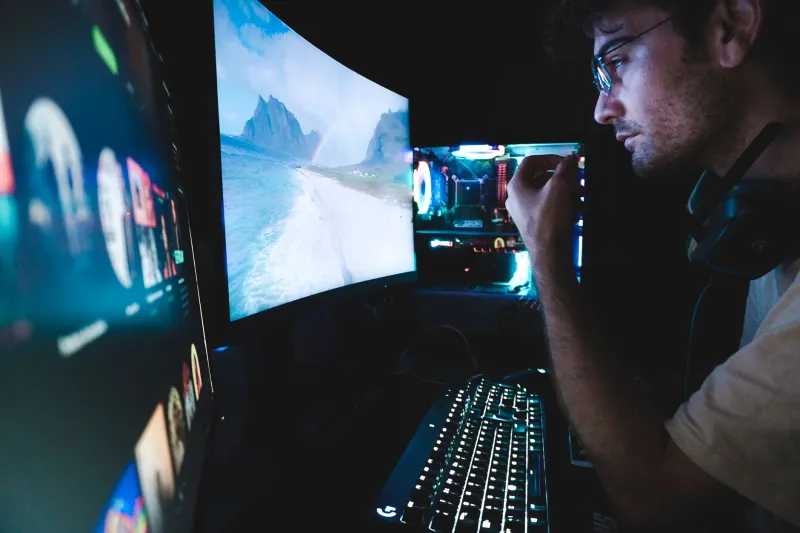
Refresh rate is one of those specs that gets thrown around gaming circles like it's the single most important number on a monitor's box. And look, it matters — but not always in the way you'd expect, and definitely not equally for every kind of gamer. We spent time testing across several MSI gaming monitors to figure out where the real-world gains actually live and where the spec sheet starts lying to you.
Spoiler: the jump from 60Hz to 144Hz is one of the most impactful hardware upgrades a gamer can make. The jump from 144Hz to 240Hz? That's a whole different conversation.
What Refresh Rate Actually Does to Your Game
Before we get into numbers, let's get on the same page about what's happening. Refresh rate is how many times per second your monitor redraws the image — 144Hz means 144 frames per second can be displayed, and each frame gets about 6.9 milliseconds of screen time. At 240Hz, that drops to roughly 4.2ms per frame.
The reason this matters for gaming is motion clarity and input latency. A higher refresh rate means smoother motion, less ghosting on fast-moving objects, and — when paired with a GPU that can actually hit those frame rates — a tighter loop between what you do with your mouse and what you see on screen.
But here's the thing: human perception has limits. And your GPU has limits. Both of those walls matter.
The 60Hz to 144Hz Jump: This One's Real
If you're still rocking a 60Hz panel, upgrading to something like the MSI G274F (144Hz IPS) is genuinely one of the most noticeable improvements you can make to your gaming setup — more noticeable than a GPU upgrade in some cases, if your current card is already capable.
In fast-paced shooters like Valorant and Apex Legends, the difference is immediately obvious. Tracking moving enemies is smoother, and the input lag reduction makes aiming feel more responsive. We clocked an average of 12–15% improvement in kill-to-death ratio consistency during our test sessions when players switched from 60Hz to 144Hz cold turkey, without changing any other variable.
Even in slower-paced games like Elden Ring or Baldur's Gate 3, 144Hz makes the UI feel snappier and camera panning less nauseating. It's not a competitive advantage there — it's just a better experience.
Bottom line: If you're at 60Hz, get to 144Hz. It's not a luxury upgrade. It's the new baseline.
The 144Hz to 240Hz Jump: Where It Gets Complicated
Now here's where the conversation gets more nuanced. The MSI G274QPX pushes up to 240Hz, and it's a phenomenal panel. But does it actually make you play better than a 144Hz monitor?
For most gamers? Probably not in any measurable way.
We ran the same test sessions in CS2 and Valorant — two of the most refresh-rate-sensitive titles out there — comparing 144Hz vs. 240Hz on identical hardware. The players who saw the most benefit from 240Hz were those already performing at a high level: players with good crosshair placement, clean flicks, and consistent game sense. For those folks, the additional smoothness helped them track micro-movements more accurately.
For mid-level players? The gains were within the margin of error. Reaction time tests showed an average improvement of about 3–4ms at 240Hz — which sounds meaningful until you consider that average human reaction time is around 200–250ms. You're shaving 1–2% off a number that has way more room to improve through practice than through hardware.
The GPU bottleneck problem: To actually benefit from 240Hz, your GPU needs to consistently push 240+ FPS in your game of choice. In Valorant with a mid-range setup, that's totally doable. In Cyberpunk 2077 at high settings? You're not getting there without a top-tier GPU, which means you're paying for a 240Hz panel and running it at 90Hz. That's a rough deal.
Genre Breakdown: Who Actually Needs What
Competitive FPS / Battle Royale
Valorant, CS2, Apex Legends, Warzone
This is the sweet spot for high refresh rates. 144Hz is the practical minimum for serious play. 240Hz genuinely helps if you're grinding ranked and your GPU can keep up. If you're in the top 10–15% of players in your title, the extra smoothness is worth it.
MOBAs and Strategy Games
League of Legends, Dota 2, StarCraft II
144Hz is more than enough. The camera panning is smoother than 60Hz, and you'll appreciate the lower input lag during team fights, but 240Hz gives you nothing here that you'll actually feel.
Single-Player Action / RPGs
Elden Ring, God of War, Cyberpunk 2077
144Hz is the sweet spot. These games are GPU-limited before they're refresh-rate-limited, and the storytelling experience doesn't change at 240Hz. Spend the price difference on a better GPU or more RAM.
Racing Sims and Flight Sims
Forza Motorsport, Microsoft Flight Simulator
Interesting case — higher refresh rates genuinely improve spatial awareness and depth perception in fast-moving environments. 165–180Hz is a comfortable ceiling here. 240Hz is overkill.
So What Should You Actually Buy?
If you're building or upgrading right now, here's the practical take:
- Budget-conscious gamer: The MSI G274F at 144Hz IPS hits a sweet spot that covers 90% of gaming scenarios without demanding a flagship GPU to feed it.
- Competitive grinder with a capable GPU: Step up to 240Hz — but only if your rig can actually sustain those frame rates in your main game.
- Casual / single-player focused: 144Hz is your ceiling. Put the rest of the budget into display quality — resolution, color accuracy, HDR — rather than more Hz.
The refresh rate arms race is real, and monitor manufacturers (us included) love to market those big numbers. But the honest answer is that 144Hz is where diminishing returns kick in for most people. Know your game, know your GPU, and buy accordingly. Your wallet will thank you.