Your Cable Management Is Quietly Roasting Your GPU — Here's the Thermal Proof
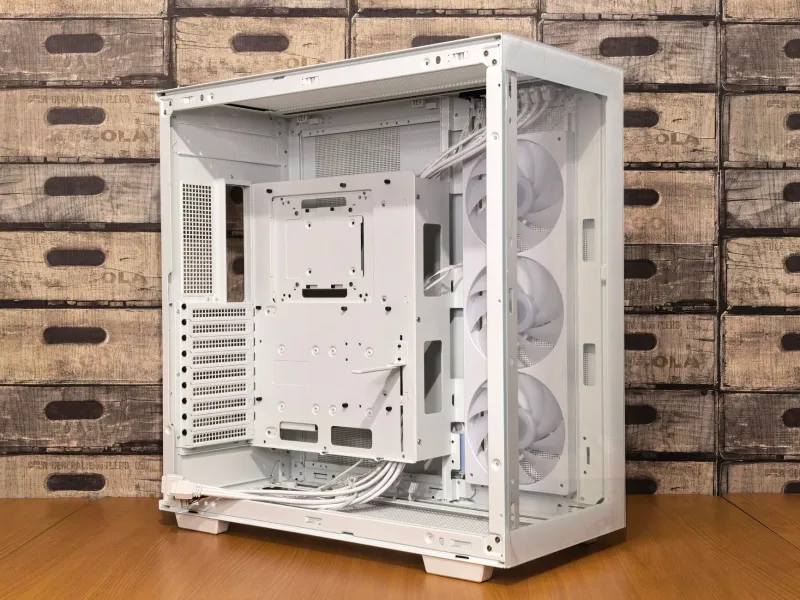
There's a certain satisfaction that comes from opening your PC case and seeing perfectly routed cables, tucked tight, zip-tied into submission, every wire hidden behind the motherboard tray. It looks professional. It looks clean. And if your GPU is a three-fan MSI GAMING TRIO card sitting right below a wall of bundled cables, it might also be slowly killing your thermals.
This isn't a theoretical concern. We actually tested it.
The Setup: How We Measured the Impact
We used a mid-tower ATX case — the kind that represents the majority of enthusiast builds in the US market — with an MSI GeForce RTX 4080 GAMING X TRIO as our test GPU. We ran three configurations:
- Stock cable routing — everything plugged in and loosely routed with no management at all, cables hanging naturally.
- "Aesthetic" cable management — tight bundles routed along the GPU's primary intake side, as you'd commonly see in build showcase photos.
- Thermal-first routing — all cables routed away from GPU airflow paths, prioritizing breathing room over visual cleanliness.
We loaded the system with a 20-minute Furmark stress test in each configuration and logged temperatures using MSI Afterburner's hardware monitoring alongside a thermal camera pointed at the GPU cooler intake.
The results were not subtle.
What the Numbers Actually Showed
Between the stock (loose) routing and the aesthetic cable management configuration, we saw a 7°C increase in peak GPU junction temperature. That's not a rounding error — that's the difference between your card running at a comfortable 83°C and hitting 90°C where thermal throttling starts to become a real factor on many MSI cards.
The thermal-first routing actually beat the stock configuration by about 3°C, which makes sense — intentional routing that keeps cables clear of intakes is better than random cable chaos, even if it's less dramatic than we expected.
But that 7°C gap between "looks great" and "performs great" is the story here. At sustained high temperatures, your GPU's boost algorithm pulls back clock speeds to protect the hardware. We're not talking about catastrophic failure — we're talking about quiet, invisible performance degradation that you'd never notice unless you were logging clocks frame by frame.
Why This Happens (The Physics Are Simple)
Most high-end MSI GPU coolers — the TRIO series, the SUPRIM designs, the GAMING X lineup — use a triple-fan axial setup that draws air in from below and exhausts it through the heatsink fins. The fans are pulling air from the immediate space beneath and around the card.
When you bundle your PCIe power cables, SATA runs, and fan headers into a tight loom and route them along the bottom of the case — which is exactly where GPU intake air comes from in most mid-tower configurations — you're creating a partial blockage. The fans can still spin. They just can't pull as much cool air. Instead of fresh case air, they're recirculating partially warmed air that's been hanging around near the GPU.
It's not dramatic. There's no alarm. Your fans just spin a little harder, your temperatures climb a little higher, and your boost clocks quietly step back. You'd never know unless you were looking.
The Aesthetic vs. Thermal Tradeoff Is Real — But Fixable
Here's the thing: we're not saying cable management is bad. Clean builds genuinely do run better than total cable chaos in most cases, because random dangling cables can obstruct case airflow in unpredictable ways. The problem is where you're routing.
The mistake most builders make is treating cable management as a purely visual exercise. Route everything behind the tray, make it look clean from the glass panel side, done. But that approach doesn't account for where the GPU's intake zone actually is.
What to do instead:
- Map your GPU's intake zone first. Before routing a single cable, look at where your GPU fans are pulling air from. That entire area — below the card and to the sides — is sacred airflow territory. Nothing should be bundled tight in that region.
- Use the case's cable channels intentionally. Most modern mid-towers have routing channels along the bottom and back edges. Use the ones that run away from the GPU, not alongside it.
- Give your PCIe power cables room to breathe. Those 16-pin or dual 8-pin connectors that plug into the GPU are often the worst offenders. Route them so they drop straight down and away from the card rather than bending back across the intake fans.
- Loose is sometimes better than tight. A gently coiled cable that keeps its distance from the GPU does less thermal damage than a perfectly bundled run that sits 2 inches from the fan intake.
The Builds That Suffer Most
Not every configuration is equally at risk. Compact ITX and mATX builds tend to have less cable routing flexibility and often run hotter as a result — but builders in those platforms usually know this and plan for it. The builds that get blindsided most often are mid-tower ATX systems where there's plenty of room to route things properly, but the builder prioritized looks and didn't think about airflow.
High-wattage GPU configurations make this worse. An RTX 4090 pulling 450+ watts generates a lot of heat that has to go somewhere. When you restrict the intake, you're compressing all that thermal load into a tighter space. The card's fans ramp up, the noise increases, and eventually your boost headroom shrinks.
The Bottom Line
A clean build and a cool build aren't mutually exclusive — but they require you to think about airflow before you start zip-tying. Spend 10 minutes mapping your GPU's intake zone before you route a single cable, and you can have both the aesthetic and the thermals.
Or don't, and keep wondering why your MSI card runs hotter than the benchmarks say it should. Your call.